Evidence note: This update compares growth-stage fit without inventing a universal winner. Housecall Pro is assessed from official primary sources because direct account access is unavailable to this researcher. ServiceTitan evidence includes official sources and an active referral relationship, which is disclosed wherever the tracked link appears.
What changed on 4 November 2026
Evaluate Housecall Pro first for a small or growth-stage residential team that wants published plan structure, a trial and a more packaged implementation path. Evaluate ServiceTitan first when specialized roles and governed dispatch, reporting, membership and accounting processes already justify quote-led implementation. Neither is a universal winner. Lower administration is a buyer-fit hypothesis to test, not a measured implementation advantage.
Method and evidence: Official product, pricing, support and contract sources rechecked 4 November 2026. Housecall Pro remains a primary-source desk assessment because direct account access is unavailable. ServiceTitan uses official documentation plus a disclosed referral relationship. Neither product has completed the same direct ServiceTech Signal account scenario. No numerical winner, hands-on comparative outcome, savings or customer result is claimed. Existing decision factors, team reasoning, evidence ledger and unresolved questions remain below.
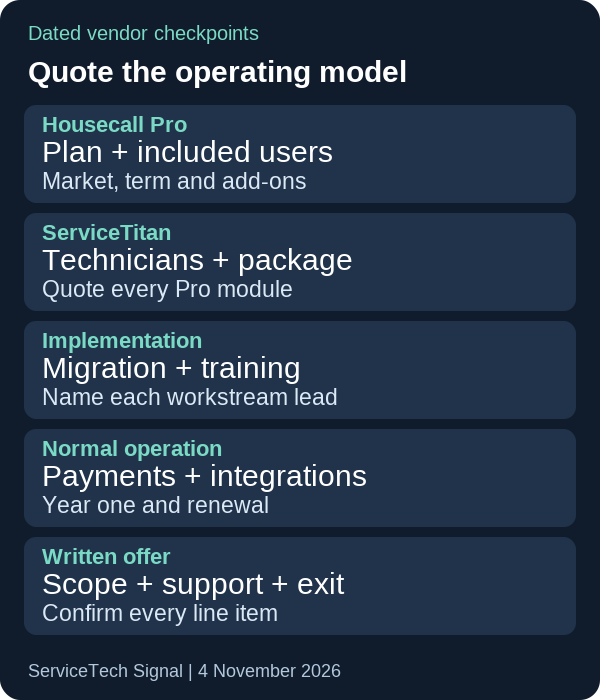
Normalize the crew, contract and steady-state cost
The current Housecall Pro US pricing page separates Basic, Essentials and MAX. Its standard USD monthly equivalents billed annually are 59, 149 and 299; the monthly figures are 79, 189 and 329. Included users are 1, 5 and 8; MAX lists an extra user at USD35/month. These are dated US checkpoints excluding sales tax, not a global quote. Temporary first-month or three-month offers on the same page are excluded from this comparison. The vendor offers a 14-day trial; eligibility, enabled features and purchase terms still control.
ServiceTitan pricing names Starter, Essentials and The Works, with per-technician pricing by request. No unquoted dollar estimate belongs here. The personalized demo is a buying path, not evidence that a specific module is included. Separate core packages from Pro products, payments, financing, integrations and implementation.
| Input | Housecall Pro | ServiceTitan |
|---|---|---|
| People and term | Market/currency/tax, Basic/Essentials/MAX, included and extra users, annual prepay versus monthly, renewal and promotion expiry. | Legal entity/market, technician count and definition, office roles, Starter/Essentials/The Works, commitment, renewal and contracted modules. |
| Operating scope | Required plan gates; payments, voice/AI, payroll, accounting, marketing, GPS, API and support. Do not assume a feature heading includes every add-on. | Each Pro product/module, memberships, dispatch/reporting configuration, financing/payments, usage, integrations, support/SLA and devices. |
| Implementation | Onboarding, migration object coverage, formatting fees, training, owner time, launch support and data cleanup. | Pre-implementation, implementation and go-live deliverables; data mapping, training, accounting export call, internal workstream owners and customer-success responsibility. |
| Normal operation and exit | Normalize the same 1/5/8-person fictional crew and workload, then write year-one and renewal totals. Include processing fees, corrections, storage/files, change requests, cancellation, retention, component exports and restore effort. Do not infer revenue or time savings from vendor marketing. | |
Use the total-cost calculator only after the quote names the required configuration. The Housecall Pro product summary is vendor positioning, not independent evidence about ServiceTitan or a substitute for plan-level terms.
Assign implementation and product-boundary owners
Housecall Pro's current table places route optimization, recurring service plans, API access and dedicated onboarding in MAX; Essentials adds capabilities such as QuickBooks integration. Reconcile each required feature with the actual offer rather than transferring a marketing claim across tiers. Its roles guide distinguishes Admin/Owner, Office Staff and Field Tech; field tech access is mobile-only and job editing/payment permissions are separate controls.
ServiceTitan's getting-started guide, updated 15 October, organizes pre-implementation, implementation and go-live work around Launchpad, data quality, employee/technician setup, configuration, Academy, TitanAdvisor and an accounting Export Call. The onboarding page describes customer-success support after launch. None proves a duration, successful migration or reduced disruption for this buyer.
ServiceTitan Practice is a training environment with its own limits. Its guide warns that Intacct transactions exported from Practice can reach real Intacct production. Do not assume a sandbox isolates every integration. Proposed rehearsal must use an approved, isolated synthetic setup with a named finance owner; no account, payment or accounting test was run for this refresh.
Rehearse dispatch exceptions and mobile recovery
Housecall Pro Optimize by Drive Time is MAX-only with add/edit-job permission. It reorders one technician's day, not the assigned technician or date; locked jobs and skipped-job warnings require review. A calculated order is not measured route quality. ServiceTitan's scheduling/dispatch surface must be demonstrated in the quoted configuration with the actual office and technician roles.
| Gate | Housecall Pro | ServiceTitan |
|---|---|---|
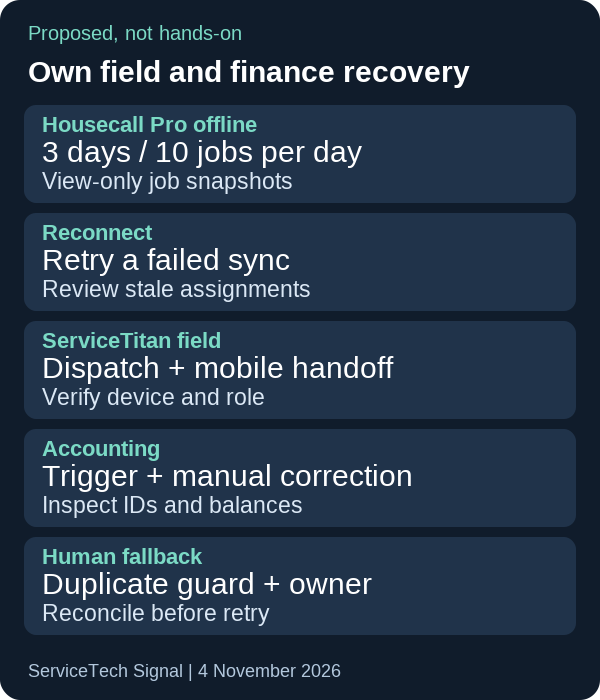
| Without coverage | The 21 September offline guide is view-only, jobs only: today plus the next two days, up to ten assigned jobs per day automatically. Snapshots exclude customer history; no edits, payments or completion. Office changes appear after reconnect. | Do not infer offline parity from a mobile demo. Require a dated device/app/version/role matrix for viewing, writes, attachments, completion and payment handling before relying on any field recovery. |
| Failure and shared visibility | Check last successful sync before travel. A failed sync needs a manual retry after connectivity returns. Weak connectivity and true offline state differ; check which snapshot is actually available. | Demonstrate dispatch-to-mobile acknowledgment, stale assignment handling, retry/duplicate controls, shared visibility and the human fallback on the intended configuration. |
| Same exception day | Proposed, not completed: one recurring visit, weather delay, urgent insert, cancellation and reassignment. Record locked windows, skipped work, assigned owner, notification approval and reconciliation after reconnect. Do not contact real customers during evaluation. | |
Use the offline evaluation guide to define the required actions, not to award a blanket reliability winner.
Verify accounting correction, not just a connected badge
Housecall Pro's QBO sync guide documents trigger-based HCP-to-QBO invoice handling. Initial sync links invoices; later line-item, quantity, price and description changes need a manual invoice push. Delete/cancel changes are separate manual work in QBO. Record object IDs, trigger and the final accepted version before any retry.
The payment guide distinguishes refunds, pulling an existing QBO payment and a local payment that does not push to QBO. Its reconciliation guide separates eligible automatic deposit handling from manual cash/check/other reconciliation. Reconcile invoice, partial payment, refund receipt, fees, deposit and balance; a connection or success notification alone is not round-trip proof.
For ServiceTitan, use the documented onboarding accounting Export Call to scope the selected finance integration, mapping, export owner, rejected batch, correction and final ledger reconciliation. Require a vendor-supported path for duplicates, taxes, credits/refunds and disconnection in the exact configuration; the general demo does not prove them. Use the accounting integration checklist for a synthetic correction protocol. No finance/customer test was performed here.
Inventory component exports before cancellation
| Component | Housecall Pro | ServiceTitan |
|---|---|---|
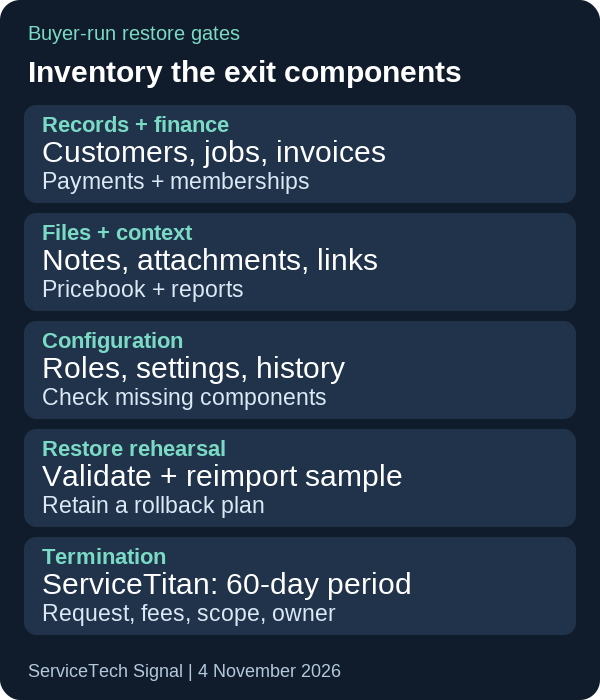
| Customers, jobs and estimates | Import/export guidance covers admin-only customer/job CSV exports by email; job/estimate reports use filtered columns and emailed CSV. Check role, recipients, filters, IDs and rejected rows separately from import scope. Its import guide warns against deleting/reimporting an incorrect transfer yourself; involve support for reversal before a supervised retry. | Customer-list export uses unfiltered customer search and Excel. This is not a job/history or full account archive. |
| Invoices, payments and recurring work | Inventory invoice/payment objects, service plans/memberships, schedules, recurring templates, equipment and notes. Get the supported export method, permissions, missing history and accounting reconciliation for each; an import promise does not prove reversible migration. | |
| Files and pricebook | The attachment guide is internally inconsistent: its feature list mentions bulk download, while its FAQ says bulk download is not currently available. Individual downloads are documented. Obtain written confirmation and verify file bytes and object links; do not assume an account-wide attachment archive. | Pricebook export produces Excel. The import/export guide targets administrators/managers and warns that import options can deactivate existing items. Pricebook is one component, not all customers, files or configuration. |
| Reports, settings and recovery | List reports, audit/history, permissions, configuration, integrations and unsupported components. Reimport a synthetic sample with IDs and attachments, compare counts/amounts, retain rollback and assign a retrieval owner before cancellation. | |
Housecall Pro terms distinguish cancellation, refunds and retention: termination can disable access within 14 days; retention is not promised. Obtain the exact contract, refund and access cutoff in writing. ServiceTitan terms, updated 16 September 2026, describe requested post-termination Customer Data export using commercially reasonable efforts; fees can apply, and integrity, completeness and timeliness are not represented. The 60-day Export Period is not a guarantee of complete self-service access. Terms name BAK/MTF or another vendor-determined format for authorized contacts. Confirm scope, request date, fees and retrieval before termination. This is a contract checkpoint, not legal advice or a proven restore.
One buyer-run protocol, then keep, switch or do not buy yet
Proposed buyer checks, not completed tests: use synthetic records, approved roles and isolated integrations. Preserve the existing system until the agreed acceptance evidence is complete.
- Normalize the same crew and year-one/renewal workload with every required package, module, payment fee and implementation deliverable. Name office, field, finance and data owners.
- Book a fictional job with estimate and recurring service, then insert an urgent call, delay for weather, cancel and reassign. Check permissions, duplicate guard, customer-notification approval and human fallback.
- Preload the actual devices, lose connectivity deliberately and compare available snapshots/actions with the documented limits. Reconnect, inspect sync errors, shared visibility and stale assignments before retrying.
- In an isolated supported test path, correct one invoice, partial payment, refund and cancellation. Inspect stable object IDs and reconcile final balances/fees; do not run real customer payments.
- Export each named component with authorized and restricted roles. Check filters, counts, file bytes, record links, pricebook changes and configuration gaps. Reimport a synthetic sample, rehearse rollback and obtain written cancellation/export deadlines.
Keep the current system if it already passes the required workflow and total cost. Switch only after the matched buyer scenario addresses the named bottleneck with owned implementation and exit gaps. Do not buy yet when the quote, mobile recovery, accounting correction, permissions or retrieval window remains unresolved.
Continue with the bounded Housecall Pro review, ServiceTitan review, Jobber versus Housecall Pro or Jobber versus ServiceTitan only for those distinct questions. Use the pilot protocol, migration checklist and pilot scorecard; see methodology and evidence boundaries.
ServiceTitan Demo 2026: The AI-Powered Operating System for the Trades
YouTube connects only after you choose to load this video.
Direct answer
Which one should you choose?
Choose Housecall Pro when a small or growing residential-service team needs published plan prices, a self-serve trial, and a faster route into day-to-day operations. Choose ServiceTitan when dispatch, call booking, memberships, reporting, commissions, and financial controls already require specialized ownership, and a written quote proves the return.
Owner-led and growth-stage home-service teams that need broad packaged capability without an enterprise-style procurement and implementation program.
Larger or operationally complex service organizations with specialized office roles, a named implementation owner, and enough process maturity to use deeper configuration.
Evidence boundary: Housecall Pro remains a primary-source desk assessment because direct account access is unavailable to this researcher. ServiceTitan combines official documentation with an active referral relationship; that commercial relationship does not alter the evidence standard or provisional decision.
Evaluation options: Each link is identified as an official or partner path. A marked partner link may earn ServiceTech Signal a commission. Commercial relationships cannot change the evidence, caveats, or decision criteria.
The decision in one table
| Decision factor | Housecall Pro | ServiceTitan | How to decide |
|---|---|---|---|
| Buying motion | 14-day self-serve trial | Personalized demo | Demand identical scenarios |
| Pricing | Published Basic, Essentials, and Max prices | Quote-only, per-technician model | Normalize subscription and setup |
| Routes and field control | Tiered across Essentials and Max | Broader configured dispatch surface | Test exception days |
| Implementation | Faster packaged path | Training and configuration program | Assign an internal owner |
| Best desk fit | Residential growth-stage teams | Complex multi-role operations | Complexity must already exist |
Commercial disclosure: A marked partner link may earn ServiceTech Signal a commission. Official vendor links without an affiliate relationship are identified separately. Commercial relationships cannot change our evidence, caveats, or decision criteria.
The lighter path fits the actual operation.
- Published pricing and a real trial are non-negotiable.
- The business wants broad functionality with lower procurement friction.
- Essentials or Max plan gates map cleanly to current needs.
- A lighter implementation footprint protects momentum.
The additional capability has a current owner and return.
- The dispatch board is already a specialized operating function.
- Memberships, call booking, reporting, and commissions need coordinated governance.
- The organization can absorb training and configuration.
- A quote-backed ROI case survives conservative assumptions.
Decision by team size
| Operating profile | Housecall Pro | ServiceTitan | Decision control |
|---|---|---|---|
| Solo owner | The published Basic plan and 14-day trial create the clearer first evaluation path. | The demo-led buying and implementation model is unlikely to be proportionate unless the operation already has unusual complexity. | Start with Housecall Pro, but confirm the required workflow is not gated above Basic. |
| 2 to 5 people | Essentials is the practical checkpoint when routes, checklists, GPS, commissions, and QuickBooks Online matter. | Shortlist only when call handling, memberships, reporting, or dispatch governance are already measurable bottlenecks. | Run the same urgent reschedule, edited invoice, refund, and accounting exception in both evaluations. |
| 6 to 15 people | Max may cover recurring service plans, route optimization, API access, and more structured onboarding. | The platform becomes credible when roles are specialized and the organization can fund configuration, migration, and training. | Require written 12-month and 36-month total cost before choosing depth over adoption speed. |
| Multiple branches or specialized departments | Keep it on the shortlist only if permissions, reporting, dispatch, and integrations pass the intended operating model. | This is the strongest ServiceTitan fit when the deeper operating surface has named owners and measurable utilization. | Score operational complexity, not headcount alone, and reject unused capability from the ROI case. |
Normalize the real cost
Do not compare entry prices alone. Model the plan, users, add-ons, payments, implementation, migration, training, and steady-state price required by the intended workflow.
| Cost control | Housecall Pro | ServiceTitan |
|---|---|---|
| Buying baseline | Published US plan prices provide an initial subscription checkpoint. | A personalized quote is required; do not estimate from third-party price claims. |
| Implementation | Model setup, migration, admin time, training, and any Max-level onboarding need. | Require implementation scope, internal staffing, migration, training, and go-live support in writing. |
| Optional products | Separate voice, AI, payroll, accounting, payments, GPS, and marketing products from the core subscription. | Separate every required module, financial product, integration, and service from the quoted platform price. |
| Decision rule | Use normal month-12 cost and only count features the team will operate. | Use conservative adoption and revenue assumptions; configuration depth without utilization is a cost, not a benefit. |
Open the total cost calculator ↗
Evidence ledger
| Evidence subject | Housecall Pro | ServiceTitan |
|---|---|---|
| Evaluation access | Official pricing and product documentation plus a stated 14-day trial; direct account access remains blocked for this researcher. | Official product documentation and demo-led buying evidence; configuration-specific behavior requires a controlled vendor evaluation. |
| Commercial relationship | No affiliate relationship is currently used on this comparison; the official evaluation link is provided for parity. | ServiceTech Signal participates in the ServiceTitan Referral Partner Program and marks tracked links as sponsored. |
| Confidence boundary | A credible small-team shortlist signal, not a hands-on product score. | A credible complex-operations shortlist signal, not proof that a quoted configuration will fit the buyer. |
Evidence still unresolved
- Comparable user and technician count
- Implementation and migration price
- Route exception performance
- Membership lifecycle test
- Support and export conditions
Continue the research
- Browse every comparison path
- Read the Housecall Pro review and evidence boundary
- Read the ServiceTitan review
- Model first-year and three-year cost
- Run the one-week field service pilot
- Compare Jobber with ServiceTitan
Primary sources
- Housecall Pro pricing and plan comparison ↗
- Housecall Pro current product and pricing reference ↗
- Housecall Pro mobile offline viewing boundary ↗
- Housecall Pro QuickBooks Online sync behavior ↗
- Housecall Pro QuickBooks Online payments and refunds ↗
- Housecall Pro customer and job import and export ↗
- Housecall Pro job and estimate list reporting ↗
- ServiceTitan packages and pricing model ↗
- ServiceTitan onboarding stages and sandbox guidance ↗
- ServiceTitan Academy documentation ↗
- ServiceTitan employee and technician onboarding ↗
- ServiceTitan customer-list export ↗
- ServiceTitan price-book export ↗
- ServiceTitan current terms and customer-data exit boundary ↗
Editorial record
Who reviewed this page and what happens next.
Commercial relationships cannot change the evidence state, fit statement, caveats, or conclusion.
- Research and review
- Andre Ribeiro
- Published
- Last material review
- Next scheduled review
- Evidence scope
- Worldwide readership with market specific product evidence
- Evidence state
- This update compares growth-stage fit without inventing a universal winner. Housecall Pro is assessed from official primary sources because direct account access is unavailable to this researcher. ServiceTitan evidence includes official sources and an active referral relationship, which is disclosed wherever the tracked link appears.
Testing methodologyEditorial standardsCorrections and update log
A marked partner link may earn ServiceTech Signal a commission. Partner and official paths stay visibly separated so the commercial relationship cannot replace the test result.