Evidence note: Jobber has a direct ServiceTech Signal scenario record. Zoho FSM now has a direct EU record covering setup, completion, service reporting, recurring maintenance, mobile synchronization, cached offline reading, controlled invoice delivery, a manual partial payment, and Zoho Invoice to Zoho FSM balance synchronization. A two-technician handoff, offline write conflicts, refund corrections, and complete export remain open. The affiliate relationship does not change this evidence boundary.
Which should you evaluate first?
Zoho FSM is the safer first evaluation when current Zoho ecosystem value, configurable assets and maintenance, and appointment-volume economics justify implementation depth. Jobber is the safer first evaluation when a smaller service team prioritizes a legible request-to-payment workflow, team/plan economics and lower administration. Neither is a universal winner.
Compare the same operating month and exception week, not feature counts. The Zoho FSM review and Jobber review own the deeper product evidence. This page owns the exact-pair purchase decision.
What changed on 2 November 2026
This update adds current capacity and contract controls, a device-specific recovery matrix, accounting and component-exit gates, three original diagrams and an official consent-first Zoho video. The useful earlier table, direct evidence note, source destinations and unresolved checks remain unchanged.
Methodology and dated evidence: sources were rechecked on 2 November 2026. No new authenticated tenant, customer, payment, accounting, mobile/offline, import, export or migration scenario was run. The evidence ledger dates Jobber's controlled Canada-account S01-S08 record to 10 August 2026 and Zoho's scoped European-account record to 23 August 2026. Those tenants and observations are historical, not your intended account or a matched comparative benchmark. Two-technician handoff, offline write conflicts, refund corrections and complete export remain open. Vendor documentation and video are capability evidence, not reliability, savings or customer outcomes. See methodology and the evidence ledger.
Appointment capacity versus team, plan and commitment
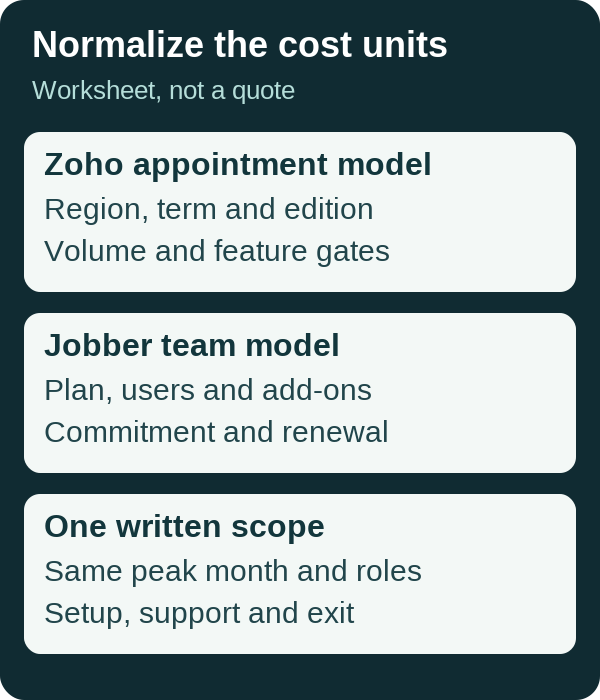
Checked 2 November 2026: Zoho's main pricing surface provides currency, term and appointment-volume selectors, but its dynamic paid amounts were not exposed in this text check. The separate USD help table lists 60 monthly appointments at Standard USD 30/month, Professional USD 45/month and Premium USD 55/month; annual totals are USD 300, 420 and 480. Do not merge these into a different regional checkout or invent an overage. Capture your actual volume selection and dated written total.
Zoho's edition table separates user capacity, assets, maintenance, job sheets, custom fields, automation, storage and export limits. Confirm every required gate, including finance sync. More included users do not remove appointment or edition limits.
Jobber pricing separates Core, Connect, Grow and Plus, team-size bands, billing mode and optional products. Its subscription guide, updated 29 October 2026, distinguishes flexible monthly payment, annual prepay and monthly payment with a one-year commitment. Plan user count, payment-processing fees, region, taxes and renewal matter. The guide states charges are non-refundable and renew automatically unless canceled before period end. Confirm current checkout terms; temporary promotions are not the normal renewal price.
| Input | Zoho FSM | Jobber |
|---|---|---|
| Capacity | Edition, created appointments, peak headroom, users and extra-volume purchase. | Plan, included users, office/field roles, team growth and required features. |
| Term and region | Country, currency, tax, billing period, selected volume and normal renewal. | Same inputs, plus no-commitment versus one-year commitment and payment frequency. |
| Connected costs | Books/Invoice scope, messaging, payment fees, integrations and storage. | Payments, marketing, phone/AI, connected apps and other optional products. |
| Implementation | Migration, mapping, configuration, training, support/SLA and administrator time. | Same inputs, rollout devices and internal ownership. |
| Exit | Downgrade/refund terms, retention, component exports and assistance. | Renewal/cancellation deadline, export permissions, retrieval cutoff and closure. |
Normalize one, three and ten required users alongside your own appointment and visit volume. Use the cost calculator with written inputs. An appointment, recurring job, visit and invoice are not automatically equivalent cost units.
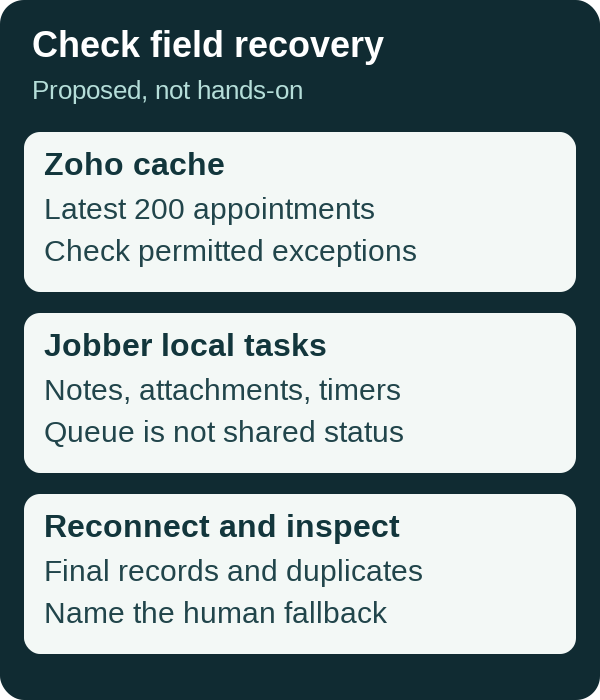
Mobile, cache and queue recovery need separate checks
Zoho's mobile app supports iOS and Android. Its offline matrix describes the latest 200 appointments by creation time and related records, cached at 8 am or with Sync Now. Most actions are read-only or unavailable. Job-sheet fill/save and work-order note/attachment changes are documented exceptions on both platforms; service-appointment notes remain read-only. Android logout is unsupported; iOS allows logout and cached data is lost. Reconnect requires Reload. Confirm enabled mode, app version and cache freshness rather than assuming full offline operation.
Jobber notes and attachments are stored locally offline and upload once internet returns and the app is open. Other teammates cannot see a local note until it syncs. Sync Queue shows pending, uploading and failed note/checklist uploads. The guide warns that logging out, deleting, force closing or updating the app while a note awaits sync loses the note. Keep a recovery owner before any reset.
Jobber timer guidance separately supports locally stored offline timer data and reconnect sync. Geofenced timers require internet, and historical entries/weekly totals do not load offline. These named capabilities do not prove every job action, ordering, conflict resolution or field-device reliability.
| Gate | Zoho FSM | Jobber |
|---|---|---|
| Before outage | Check cached appointment, edition, role, app version and refresh time. | Identify the supported local action, role, app version and queue state. |
| During outage | Separate cached reading from documented writable exceptions. | Separate locally saved notes/attachments/timers from server-visible records. |
| After reconnect | Reload and inspect final records and allowed edits. | Keep app open; inspect upload status, final records and shared visibility. |
Use two authorized roles on the intended iOS/Android devices, a deliberate online/offline edit conflict and a safe retry. Inspect timestamps, attachments, duplicates, assignment and what the second user sees. Preserve local work before cache deletion, logout or reinstall. Define a human fallback in the offline test plan.
Zoho FSM Product Demo Webinar
YouTube connects only after you choose to load this video.
Scheduling and recurring work: who owns an exception?
Jobber recurring-job guidance separates the overall job from its visits. The New Schedule route guide documents Connect/Grow/Plus availability and web-initiated optimization; that does not demonstrate live-traffic handling or route improvement. Crew scheduling, updated 8 September 2026, is documented for Plus in Jobber Online, not the app. Do not confuse a crew feature with proof that a particular technician received a change.
In both intended configurations, create one fictional recurring job or maintenance appointment, then delay it, insert an urgent visit, cancel and reassign. Record the customer promise, lead resource, visit/appointment ID, notification, duplicate guard and manual fallback. Inspect generated records separately from future template changes. Historical direct recurrence is not an observed result for this new exception week.
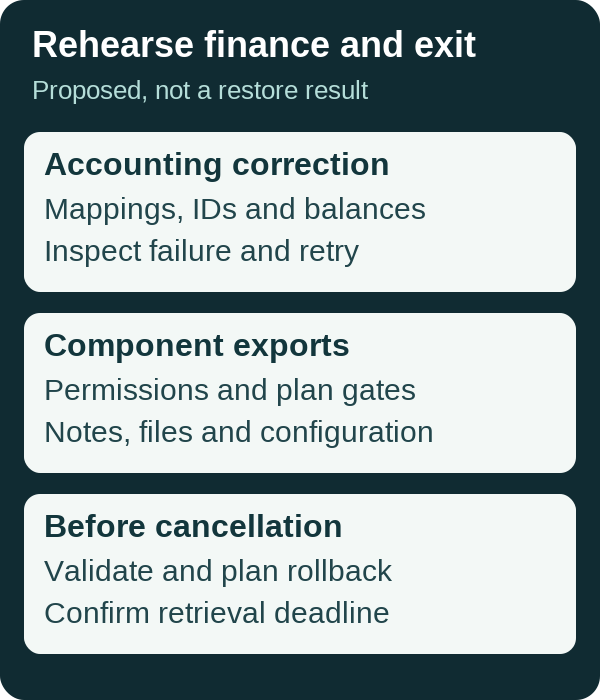
Accounting correction and reconciliation
Zoho finance setup connects a new/existing Invoice or existing Books organization and configures mappings and taxes. Changing the finance organization requires support. Its two-way sync guide describes duplicate clone/overwrite choices, field mapping, logs and failure controls. Deletions do not mirror, workflows do not run during sync, and some error-disabled sync needs support to re-enable. Map the intended company, contacts, items and invoice fields before testing corrections.
Jobber's new QBO setup guide, updated 29 October 2026, is a gradual rollout to selected accounts, plans and US/Canada regions. Identify new versus legacy integration. Its error guide separates blocked errors from warnings where a synced item changed, and recommends resolving clients, products/services, invoices, payments/refunds/tips and then payouts. Reconnect instructions address particular errors, not a general recovery guarantee.
The new QBO object guide describes a one-time import followed by ongoing Jobber-to-QBO sync; paid status does not return from QBO. The payout guide separates payment holding accounts from payout allocation. Reconcile those objects rather than treating an invoice status as bank reconciliation.
Buyer-run protocol: use fictional records to reconcile taxes, invoice, partial payment, credit/refund, fee and payout in both systems. Introduce one reversible mapping failure, correct/retry and inspect IDs, duplicates, logs and final balances. Document object direction, ownership and disconnect consequences before acting. The historical Zoho manual partial payment and finance balance match do not prove refund, failed-sync or gateway recovery. Use accounting handoff controls.
Exports, migration and cancellation are different gates
Zoho module export is permission-bounded CSV with optional related data and per-edition limits of 5,000/10,000/25,000/50,000 records per export. Download links last ten days and only the requester can use them. Invoices/payments in the finance product need their own exit coverage. Its retention policy separates deletion scenarios, files and logs; backend backup retention does not guarantee buyer retrieval.
Jobber client export, updated 29 October 2026, is a select-plan CSV/vCard surface, admin-gated except some report exports, with batches up to 1,500 CSV rows. Tags can narrow the output. Reports and the one-off jobs report are separate component surfaces. The notes and attachments guide provides an Export files action per note. Inventory notes, photos and attachments separately rather than assuming a client CSV contains them.
| Component | Required evidence | Stop signal |
|---|---|---|
| Clients, jobs, appointments and visits | All rows/fields, IDs, links, schedules and recurrence scope. | Filtered or permission-limited records called the whole account. |
| Finance | Invoices, payments, credits, tax, fees, payouts and final reconciliation. | Only balances or a connected badge are retained. |
| Files and configuration | Notes, photos, attachments, forms, history, automations, roles and mappings. | Missing export has no download/rebuild owner. |
| Exit window | Sample import, validation, rollback, cancellation/renewal notice, retention and retrieval cutoff. | Cancellation before restore-gap review. |
Jobber cancellation guidance retains access to the billing-period or committed-term end, then account data becomes inaccessible. Permanent closure is a separate owner-only action after cancellation and removes future retrieval, subject to required retention. Ask both vendors for written access, assistance, deletion and refund terms before exit. A set of exports is not a complete restorable archive or validated migration.
Same-scenario protocol: keep, switch or do not buy yet
- Normalize one written peak-month quote for region, currency, term, team, appointments, add-ons and support.
- Run the same fictional request-to-payment workflow, recurring visit and scheduling exceptions in each intended configuration.
- Check the actual device/role, permitted offline action, conflict, reconnect, duplicate guard and shared status.
- Reconcile one safe accounting failure/correction/retry, final objects and ownership.
- Export every component, inspect missing files/configuration and rehearse validation/rollback before cancellation.
Keep a working system if controls pass and replacement fit is unproven. Switch only after the exact purchased scope passes your pilot and migration gates. Do not buy yet if capacity, device tasks, correction ownership or exit coverage is unresolved. Use the existing Jobber workflow protocol, pilot guide, migration checklist and pilot scorecard. No numerical winner or new hands-on result is assigned.
Evaluation options: Each link is identified as an official or partner path. A marked partner link may earn ServiceTech Signal a commission. Commercial relationships cannot change the evidence, caveats, or decision criteria.
The decision in one table
| Decision factor | Zoho FSM | Jobber | How to decide |
|---|---|---|---|
| Primary scaling control | Appointment capacity plus edition | Plan plus team size | Model the same month-12 operation |
| Ecosystem posture | Native links across Zoho finance, CRM, and support products | Focused field-service workflow plus selected integrations | Count only systems the team will govern |
| Core strength | Configurable field operations and Zoho proximity | Small-team workflow legibility | Choose the current bottleneck |
| Evidence stage | Direct EU workflow includes mobile sync, cached offline reading, sent invoice, partial payment, and finance balance sync | Direct S01 through S08 record | Use the records to design the same exception week |
| First risk to test | Two-technician handoff, offline write conflicts, and payment corrections | Plan gates, team growth, and accounting corrections | Run the same exception week |
Commercial disclosure: A marked partner link may earn ServiceTech Signal a commission. Official vendor links without an affiliate relationship are identified separately. Commercial relationships cannot change our evidence, caveats, or decision criteria.
The lighter path fits the actual operation.
- The organization already uses Zoho Books, Invoice, CRM, Desk, or Bigin.
- Assets, maintenance plans, job sheets, advanced permissions, or workforce controls are current needs.
- A named implementation owner can govern configuration and data.
- Expected appointment volume fits the intended edition with peak headroom.
The additional capability has a current owner and return.
- The owner or a small office team needs a legible operating baseline.
- The field fleet requires a straightforward iOS and Android workflow.
- Team-size pricing is easier to forecast than appointment capacity.
- The intended Jobber plan passes job-costing, automation, and accounting controls.
Evidence still unresolved
- Same-device request-to-payment completion time
- Offline edit conflicts and queued-write recovery
- Refund and accounting correction parity
- Three-year cost for the same team and volume
- Complete export and cancellation boundary
Continue the research
- Browse every comparison path
- Read the Zoho FSM review
- Read the Jobber review
- Zoho FSM pricing explained
- Field service software for Zoho Books
Primary sources
- Zoho FSM features ↗
- Zoho FSM pricing ↗
- Zoho FSM plan comparison ↗
- Zoho FSM mobile app and offline controls ↗
- Zoho FSM offline mode limits and device-specific writable surfaces ↗
- Zoho FSM appointment assignment, lead resource, notifications, and rescheduling ↗
- Zoho FSM and Zoho Books or Invoice two-way sync and failure controls ↗
- Zoho FSM module export coverage and limits ↗
- Zoho FSM data center availability ↗
- Jobber pricing and plan controls ↗
- Jobber crew scheduling limits ↗
- Jobber automated job costing ↗
- Jobber record activity and history feeds ↗
- Jobber job-costing documentation ↗
- Jobber QuickBooks Online setup ↗
- Jobber request workflow ↗
- Jobber quote creation and conversion ↗
- Jobber quote approvals and change requests ↗
- Jobber mobile invoicing ↗
Editorial record
Who reviewed this page and what happens next.
Commercial relationships cannot change the evidence state, fit statement, caveats, or conclusion.
- Research and review
- Andre Ribeiro
- Published
- Last material review
- Next scheduled review
- Evidence scope
- Worldwide readership with market specific product evidence
- Evidence state
- Jobber has a direct ServiceTech Signal scenario record. Zoho FSM now has a direct EU record covering setup, completion, service reporting, recurring maintenance, mobile synchronization, cached offline reading, controlled invoice delivery, a manual partial payment, and Zoho Invoice to Zoho FSM balance synchronization. A two-technician handoff, offline write conflicts, refund corrections, and complete export remain open. The affiliate relationship does not change this evidence boundary.
Testing methodologyEditorial standardsCorrections and update log
A marked partner link may earn ServiceTech Signal a commission. Partner and official paths stay visibly separated so the commercial relationship cannot replace the test result.