Evidence note: Primary-source comparison is complete. The decision remains conditional until both products run the same account, team, and exception scenarios.
Which should you evaluate first?
Housecall Pro is the easier first evaluation when published plan pricing and included-user bands matter. Workiz is the safer first evaluation when phone, AI answering and communications are the primary bottleneck and the buyer can normalize a written quote including every Genius add-on. Neither is a universal winner: the deciding evidence is the same crew, call path, accounting correction and exit inventory on the configuration you would actually buy.
For deeper single-product fit, use our Housecall Pro review and Workiz review. This comparison owns the choice between the pair.
What changed on 29 October 2026
We rechecked current primary pricing, phone, accounting and data-transfer documentation and added a crew-cost worksheet, exception ownership, three original explanatory diagrams and one consent-gated vendor video. The earlier decision table and unresolved evidence remain below. No authenticated ServiceTech account scenario or matched product result was completed for this update.
Method: quoted capabilities are vendor documentation, not tested reliability or outcomes. Each vendor's Housecall Pro comparison and Workiz comparison is its own marketing, not independent evidence about the competitor. Vendor testimonials and performance percentages do not establish this review's conclusion. See methodology and the evidence ledger.
Billing and crew size: compare the paid configuration
US-facing USD checkpoint, 29 October 2026: normal recurring Housecall Pro prices below separate annual-billed monthly equivalents from monthly billing and exclude sales tax. Temporary offers are excluded. Its pricing page advertises a 14-day trial; trial access is not proof of the purchased plan. Official pricing and billing selector.
| Plan | Annual-billed equivalent / monthly | Users or capacity | Buyer gate |
|---|---|---|---|
| Housecall Pro Basic | USD 59 / 79 per month | 1 included user | Confirm required paid features and extra-user eligibility. |
| Housecall Pro Essentials | USD 149 / 189 per month | 5 included users | QBO and routes are listed here; confirm the complete scope. |
| Housecall Pro MAX | USD 299 / 329 per month | 8 included; published USD 35/month per additional user | Require written seat and add-on terms; API and route optimization are listed. |
| Workiz Standard / Pro / Ultimate | Request pricing | 5 / 10 / 30 automations | Obtain users, role rights, term and Genius products in the quote. |
No current Basic or Essentials extra-user rate is inferred here. Workiz's current pricing page separates Genius products; Pro lists custom reports, while Ultimate lists inventory, multi-location-related controls and Open API. Do not transfer a marketing feature to every plan or invent a seat allowance or monthly floor. Confirm the actual tier and any additional fee.
| Input | Housecall Pro question | Workiz question |
|---|---|---|
| Crew at month 12 | Plan, included users, extra seats and role permissions? | Core tier, paid users, dispatchers, subcontractors and permission scope? |
| Billing and commitment | Region, currency, tax, annual or monthly, renewal and cancellation? | Same inputs plus signed order form, escalators and minimum commitment? |
| Communications and AI | Voice, answering, numbers, minutes, messages, recording and usage charges? | Separate Genius Phone, Answering and Marketing; allowances, overages and fallback owner? |
| Operations and payments | Required dispatch, automation, QBO, API, payment fees and hardware? | Required automation count, custom reports, API, inventory and payment fees? |
| Implementation and exit | Migration, training, support/SLA, exports, retention and assistance? | Same components, import validation, rollback and post-termination access? |
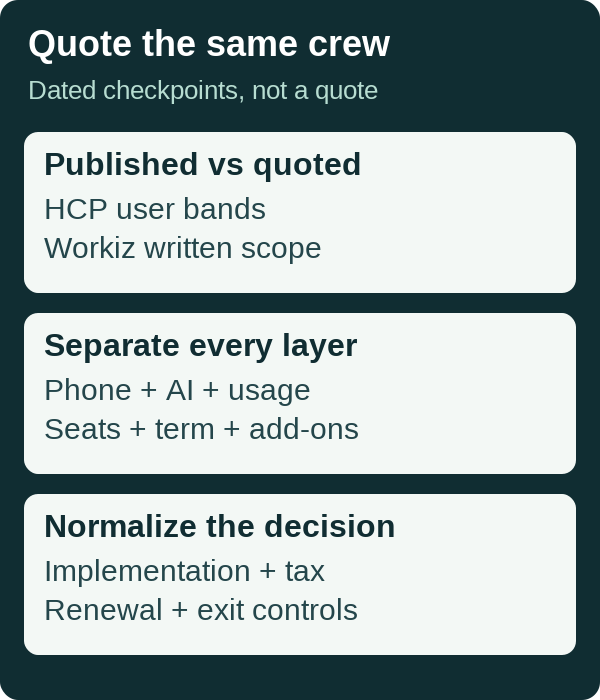
Normalize steady-state subscription, seats, every optional product, usage, processing, implementation and exit labor before comparing totals. Use your own crew and call volumes in the total-cost calculator; a lower entry price is not a demonstrated lower operating cost.
Phone and AI intake need an owner, consent and a fallback
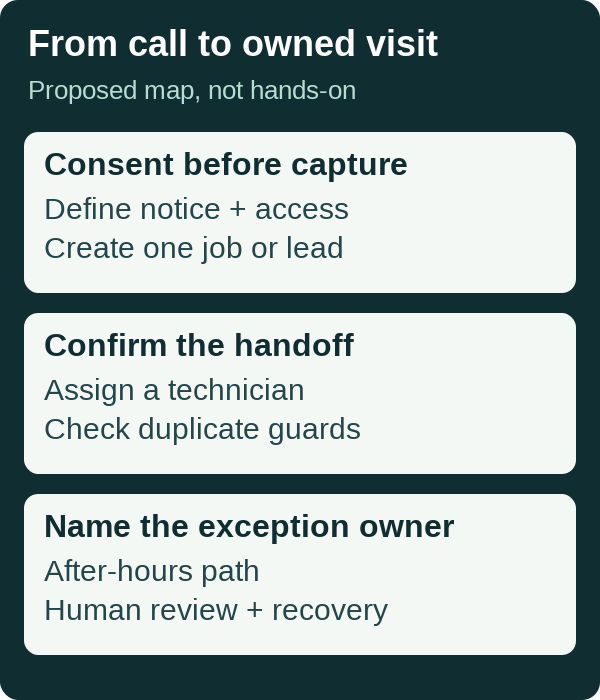
Workiz presents Genius Phone and Genius Answering as communications capabilities. The older Workiz Phone help article, updated 10 October 2023, documents call flows, masking, recordings and job/lead creation. Require a current demonstration of transcripts, record linkage and permissions in the quoted configuration. Answering a call, creating an appointment and assigning an accountable technician are separate acceptance checks.
Housecall Pro's official product overview describes a broader service-operation suite, but that summary does not settle voice or AI inclusion. Ask each vendor to show an eligible request, an after-hours request and a request that cannot be assigned. Name the human who reviews every unowned visit or failed handoff.
The Workiz terms, version 1.8 dated 19 February 2026, assign required recording/transcription consent and legal compliance to the customer, describe third-party telephony dependencies and reserve discretion over stored call material. Obtain the applicable notice, access and retention requirements before enabling recording or AI. This is a buyer control, not legal advice or evidence of compliant, accurate or reliable calling.
Workiz is the field service platform to make your business easier
YouTube connects only after you choose to load this video.
Scheduling, dispatch and automation caps need the same scenario
Published plan names do not establish dispatch fit. Count the rules needed for booking, reminders, reassignment and follow-up before accepting the Workiz 5/10/30 allowance. On Housecall Pro, distinguish scheduling from routes and route optimization at the intended plan. Confirm restrictions, add-ons and rule behavior in writing rather than treating the two feature lists as equivalent.
Use a fictional urgent insert, a cancellation and an unavailable technician. Record who can reassign the visit, which customer promise changes, whether a duplicate message or job appears, and who restores the intended schedule. These are proposed checks, not observed results.
For mobile, freeze app versions, devices, roles and connectivity. The January 2026 Housecall Pro Mobile FAQ is older context; the newer Offline Mode documentation is the current starting point. Do not assume cached viewing proves offline editing or recovery, or transfer one vendor's mobile behavior to the other.
QuickBooks correction is a gate; an export is not a complete exit
Housecall Pro's QBO sync guide, updated 3 September 2026, describes typically one-way HCP-to-QBO sync. An initial invoice sync creates a link; later line-item changes require a manual push, and canceled/deleted HCP invoices require manual action in QBO. Its payment guide, updated 7 August 2026, documents manual payment pulls and refund receipts that must be checked in QBO. These are vendor mechanisms, not a completed reconciliation.
Workiz's resource-sync guide, updated 15 October 2025, distinguishes clients, items, invoices and payments by direction and configuration. Do not infer a universal round trip. Workiz Pay payout guidance, updated 20 March 2026, limits automatic reconciliation to payments collected for invoices; payments collected for estimates or directly for jobs are excluded. Match invoice, payment, fees, payout and bank entry before accepting the accounting workflow.
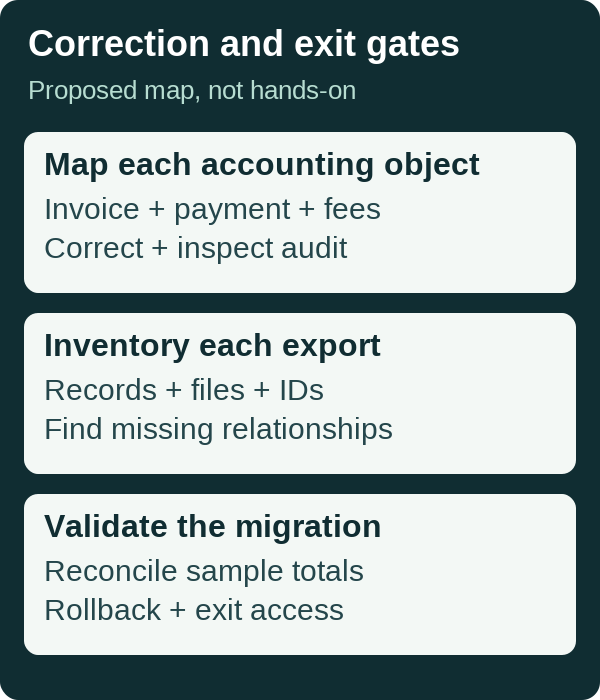
For either product, use fictional records to send an invoice, make one permitted correction, record a payment and reversal/refund, inspect both systems and retry safely. Capture object IDs, amounts, status, audit evidence and the system of record. Document how a failed sync is repaired and duplicates are prevented. This proposed test does not authorize real customer or payment activity.
| Surface | Documented coverage | Still to verify |
|---|---|---|
| Housecall Pro customer/job export | Admin-only lists sent as CSV by email. Import/export guide. | Required fields, IDs, relationships, files and history; recipient and access controls. |
| Housecall Pro reporting | Filtered job/estimate reporting with emailed CSV. List/reporting guide. | Filter and column scope versus all records; invoice/payment and audit completeness. |
| Workiz report export | A saved custom report can export PDF or CSV. Guide updated 16 February 2026. | Plan, permissions, underlying objects, files and relationships; not a full archive. |
| Workiz import | Documented objects include clients, jobs, leads, invoices, estimates and items. Images/files, calls/messages and parent-client relationships are excluded. Import guide updated 16 April 2025. | Payment-history handling, QBO duplication risk, automation pauses, validation and rollback. |
| Both: exit inventory | No complete restorable archive is established by these sources. | Notes, attachments, communications, templates, automations, permissions, audit history, stable IDs, configuration, porting and post-cancellation access. |
Workiz's import guide warns that importing financial objects alongside QBO can create duplicate-payment complications and that import can trigger automations. Housecall Pro's guide calls for mapping/validation and support-assisted reversal when an import is wrong. Require a sample transfer, reconciliation totals, a freeze window and a written rollback plan before moving live records. Import assistance is not proof of reversible migration.
Buyer-run protocol: keep, switch or do not buy
- Obtain dated quotes for the same crew, roles, region, term and required phone/AI products. Reconcile recurring and usage charges.
- Run one fictional enquiry through consent, intake, estimate, job, assignment and after-hours exception. Check duplicate guards and human ownership.
- Reassign an urgent visit and exercise one automation failure or cap boundary. Inspect notifications, history and safe retry.
- Test intended mobile devices and roles through an authorized connectivity interruption and reconnect. Reconcile final records and attachments.
- Run the fictional accounting correction and export each required component. Verify IDs, totals, permissions and restore gaps.
- Keep the current system when it meets the controls and the replacement adds no verified operational fit. Switch only after the named configuration passes the shared pilot and migration/rollback gates. Do not buy yet if the quote, consent owner, correction path or exit coverage remains unresolved.
Use the pilot guide and pilot scorecard for detailed method, the QuickBooks integration guide for the accounting protocol, and the migration checklist before a switch. This comparison's decision remains conditional until your own configuration and exception evidence exist.
The decision in one table
| Decision factor | Housecall Pro | Workiz | How to decide |
|---|---|---|---|
| Buying motion | Published US plan prices and 14-day trial | Quote-based Standard, Pro, and Ultimate; 7-day trial stated | Use the same team and term |
| Intake posture | Core communication plus optional growth and voice products | Phone-led job creation; Genius Phone and Answering sold separately | Map every call path and add-on |
| Automation | Capabilities vary by plan and optional product | 5, 10, or 30 rules by core tier | Count launch rules before purchase |
| Accounting | QuickBooks Online listed at Essentials | QuickBooks Online listed in Standard with documented directional behavior | Reconcile edits and payments |
| Best desk fit | Residential teams wanting packaged breadth | Growing phone-heavy service teams | No universal winner |
The lighter path fits the actual operation.
- Published subscription prices are a procurement requirement.
- Routes, flat-rate pricing, checklists, GPS, or recurring service plans map cleanly to Essentials or Max.
- The team wants a broad home-service suite before specializing the phone stack.
- A 14-day self-serve evaluation provides enough time for the shared scenario pack.
The additional capability has a current owner and return.
- Inbound calls, missed calls, and messaging are measurable operating bottlenecks.
- The office wants communications and job creation tightly connected.
- A written quote cleanly separates the core tier, seats, and every Genius product.
- The launch workflow fits inside the documented automation limit.
Evidence still unresolved
- Normalized first- and third-year quote
- Call-quality and after-hours exception test
- Mobile rescheduling time
- QuickBooks correction behavior
- Export and support conditions
Continue the research
Primary sources
- Housecall Pro pricing and plan comparison ↗
- Housecall Pro current product and pricing reference ↗
- Housecall Pro mobile offline viewing boundary ↗
- Housecall Pro QuickBooks Online sync behavior ↗
- Housecall Pro QuickBooks Online payments and refunds ↗
- Housecall Pro customer and job import and export ↗
- Housecall Pro job and estimate list reporting ↗
- Workiz pricing, plan gates, separate Genius products, and trial ↗
- Workiz product and feature overview ↗
- Workiz price-book workflow ↗
- Workiz line-item markup controls ↗
- Workiz schedule overview ↗
- Workiz and QuickBooks Online sync directions ↗
- Workiz data-import process and warnings ↗
- Workiz job-connected estimate and invoice behavior ↗
- Workiz custom-report PDF and CSV export ↗
Editorial record
Who reviewed this page and what happens next.
Commercial relationships cannot change the evidence state, fit statement, caveats, or conclusion.
- Research and review
- Andre Ribeiro
- Published
- Last material review
- Next scheduled review
- Evidence scope
- Worldwide readership with market specific product evidence
- Evidence state
- Primary-source comparison is complete. The decision remains conditional until both products run the same account, team, and exception scenarios.
Testing methodologyEditorial standardsCorrections and update log