Evidence boundary: Jobber has direct ServiceTech Signal workflow records. ZenMaid and Swept remain primary-source desk assessments. Housecall Pro direct access is blocked by eligibility. No hands-on winner, customer outcome, savings estimate, or review score is claimed here.
What changed on 17 October 2026
We refreshed ZenMaid's active-profile pricing and Coming Soon accounting boundary, corrected Swept's current comparison and plan gates, and added three original diagrams and a vendor appointment video. Jobber and Housecall Pro checkpoints were rechecked without expanding their claims. Earlier direct evidence remains dated; no new vendor account test was performed.
ZenMaid pricing and its cost explanation support the owner-included, additional-active-profile model. Swept's main comparison is the current checkpoint; its terms, clause 4.1, specify USD. These are published checkpoints, not a final quote.
Match the software to the contract you must protect.
Begin with ZenMaid for recurring residential maid operations, Swept for commercial janitorial and multi-site proof, Jobber for a broader quote-to-payment system, or Housecall Pro for residential operations with a wider growth stack. Treat each as a starting point for a controlled pilot, not a final ranking.
269 impressions made this the first trade-page intervention.
The 13 to 22 Aug Search Console baseline recorded 269 impressions and zero clicks for this query owner. This is a historical baseline, not current search demand or a measurement of this update.
Review the public baseline ↗Cleaning software comparison at a glance
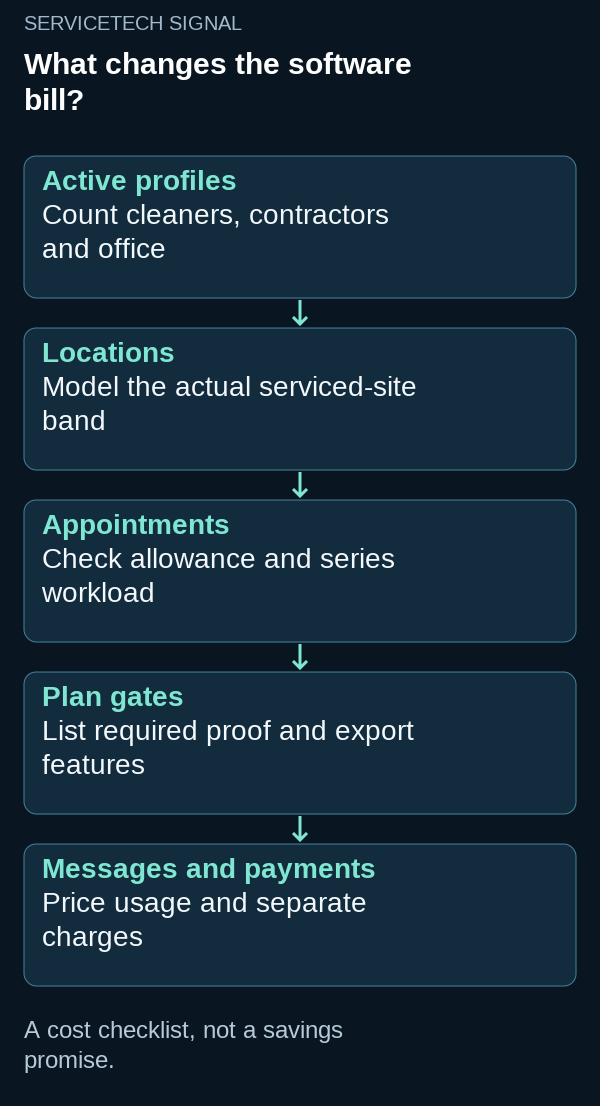
Model active profiles, serviced locations, appointment allowances, plan gates, messaging and payment charges. Price the intended team and usage rather than multiplying an entry price alone.
The prices below are vendor-published checkpoints, not complete budgets. Taxes, payment fees, messages, users, add-ons, onboarding, and internal setup can change the total.
| Product | Best evaluation fit | Published cost checkpoint | Decision-changing gate |
|---|---|---|---|
| ZenMaid | Recurring residential maid services | Starter is USD 19/month plus USD 4 per additional active profile, with 40 appointments. Only the Owner is included; active cleaners, contractors and office managers count. SMS is separate. | Pro is USD 39/month plus USD 14 per additional active profile; Pro Max is USD 49 plus USD 24. Check required features and the full team bill. The pricing page labels QuickBooks integration Coming Soon. Confirm availability and the exact handoff before making it a requirement. |
| Swept | Commercial janitorial teams and multi-site contracts | The main comparison checked 17 Oct 2026 lists Optimize at USD 150/month for up to 15 locations, on monthly billing. Confirm legacy conditions separately; Launch still appears in navigation. | Optimize includes inspection photo proof, GPS site verification and location checklists. Scale is USD 225/month for the same initial band and adds client portal, profitability, supplies, one-time work orders and QuickBooks Online payroll. Accelerate is custom-priced. |
| Jobber | Residential or mixed-service operators needing quote-to-payment breadth | Core is advertised from $29/month on annual prepaid billing for one user. Price the normal billing term and expected team size. | Connect is the first checkpoint for checklists, QuickBooks Online, time and expense tracking, automatic payments, and follow-up automation. |
| Housecall Pro | Home-cleaning teams wanting a broader residential growth stack | Basic is $59/month billed annually or $79 billed monthly for one user, excluding sales tax and optional products. | Essentials is the first checkpoint for routes, checklist automation, photo reports, employee GPS, commissions, and QuickBooks Online. |
Which product should you test first?
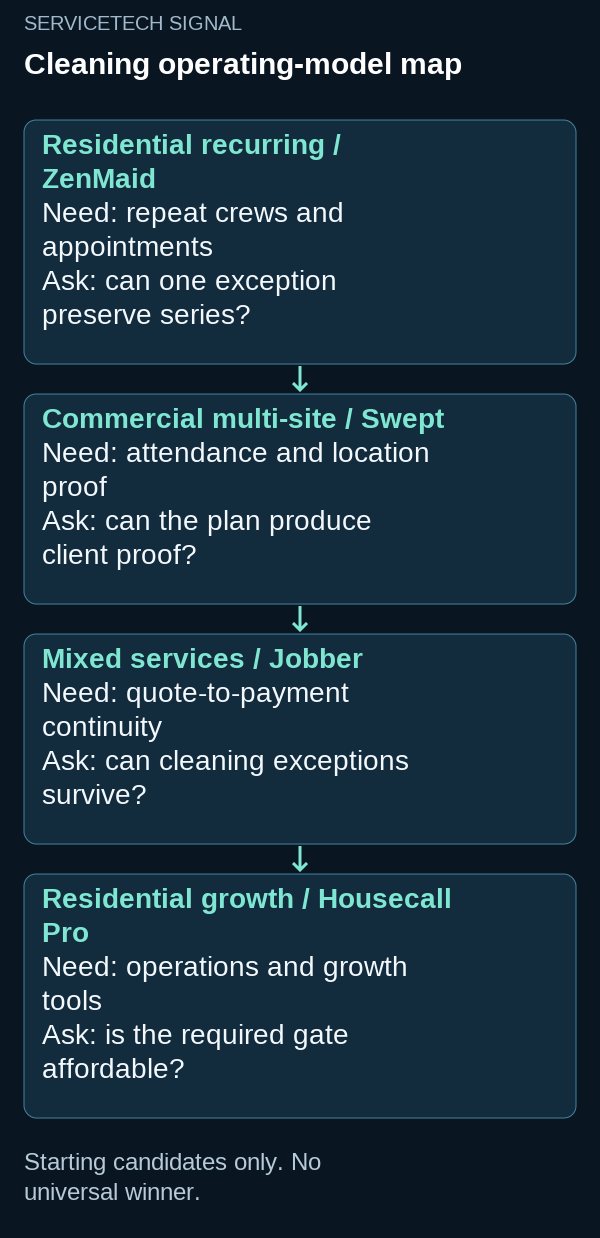
Residential recurring: test ZenMaid for series exceptions. Commercial multi-site: test Swept for client proof. Mixed services: test Jobber for cleaning exceptions. Residential growth: test Housecall Pro against the required plan cost.
ZenMaid
Its published plan ladder is built around appointments, cleaner communication, booking forms, checklists, payroll, and recurring scheduling.
Stop signal: Stop if the intended team price, accounting handoff, data export, or exception workflow fails the pilot.Swept
Its plan structure exposes the janitorial controls that protect contracts: location instructions, timekeeping, geofences, inspections, proof, and client visibility.
Stop signal: Stop if required proof, client reporting, work orders, or profitability controls force a plan the contract cannot support.Jobber
A broader client-to-payment workflow can fit operators that add windows, pressure washing, property maintenance, or another service line.
Stop signal: Stop if recurring crew exceptions, quality inspections, or payroll rules need cleaning-specific controls the intended plan cannot reproduce.Housecall Pro
The product combines home-service operations with booking, reviews, proposals, payments, and optional growth products.
Stop signal: Stop if Essentials or add-on costs are required merely to match the recurring and proof workflow already available elsewhere.Evidence boundary by product
ZenMaid
Start here when cleaner assignment and recurring appointment exceptions matter more than general field-service breadth.
Evidence: Primary-source desk research. No ServiceTech Signal account test or numerical score.Swept
Start here when verified attendance, inspections, multilingual instructions, and client proof protect recurring contracts.
Evidence: Primary-source desk research. No ServiceTech Signal account test or numerical score.Jobber
Start here when the business needs one client, quote, schedule, invoice, and payment layer across more than cleaning alone.
Evidence: Direct ServiceTech Signal controls exist, but the cleaning-specific series, payroll handoff, and proof sequence still need a dedicated test.Open the Jobber evidence review ↗Housecall Pro
Start here when booking, reviews, estimates, payments, and residential growth tools justify testing the higher plan gate.
Evidence: Account access is blocked for the researcher. All cleaning claims remain documentation-based and unscored.Open the Housecall Pro evidence review ↗Five controls every cleaning software demo must reproduce
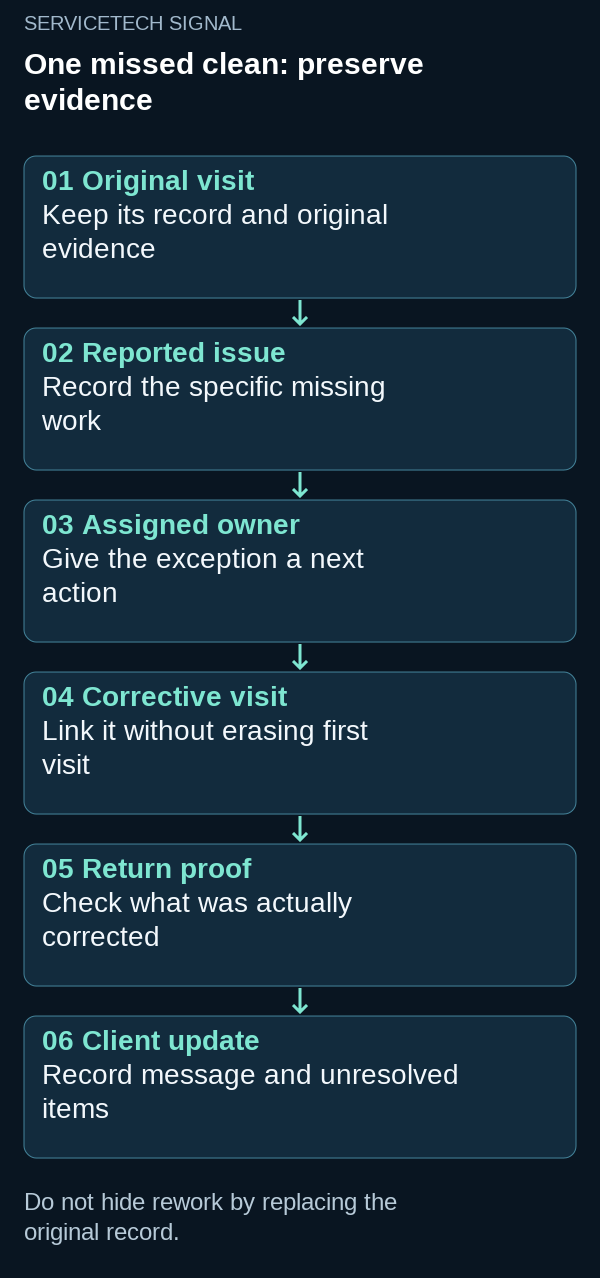
Keep the original visit evidence, record the reported issue, assign an owner, link a corrective visit, inspect return proof and record the client update. Never replace the first record merely to hide rework.
Recurring exception
Move one visit, pause the next, and preserve the original frequency, price, notes, and future series. For a multi-day weekly series, ask which action affects one visit versus the series, what archiving the recurrence changes, and how a new schedule is created if service resumes. ZenMaid recurrence source; appointment source. These are proposed buyer questions, not an authenticated exception test.
Crew reassignment
Replace one cleaner for one shift without duplicating the job, losing instructions, or changing payroll ownership.
Proof of service
Complete a location-specific checklist, attach time and photo evidence, and produce a client-safe record.
Labor and payroll
Separate travel, on-site work, breaks, overtime, corrections, and the export sent to payroll or accounting.
Complaint recovery
Record a missed item, assign a return visit, retain the original evidence, and close the client issue without hiding rework.
Watch the appointment workflow, then check the exception
How to Schedule an Appointment in ZenMaid
YouTube connects only after you choose to load this video.
Source: ZenMaid appointment guide. Keep the vendor demonstration separate from a recorded test result.
How this shortlist was built
- Each product has a distinct, plausible starting fit for a cleaning operating model.
- Pricing and plan gates come from current vendor-owned pages checked on 17 Oct 2026.
- Temporary discounts, vendor testimonials, unsupported savings claims, and third-party ratings do not determine placement.
- A missing direct test remains visible and blocks a numerical score or universal winner.
Need an oven clean on just one appointment? Compare how to add and bill one extra without changing the next cleaning visit.