Evidence note: This comparison uses current official product, pricing, support, and affiliate records. Both affiliate relationships are active. Neither product has completed the same ServiceTech Signal direct account scenario, so the decision remains conditional and no numerical winner is assigned.
What changed on 3 November 2026
Evaluate Pipedrive first when the primary problem is disciplined sales follow-up in a focused CRM with a lower configuration burden. Evaluate monday CRM first when the business needs a more configurable revenue and handoff workflow and can govern workspaces, boards, columns, permissions and action usage. Neither is a universal winner, and neither automatically replaces a field-service or accounting system.
Method: We rechecked official pricing and support documentation on 3 November. These are dated vendor capability checkpoints, not matched account results. Neither product has completed the same ServiceTech Signal direct account scenario. Recent individual review refreshes do not create a matched comparison test. The earlier decision table and unresolved questions remain below; the new checks explain what to confirm before buying.
Compare the exact CRM product, seat bundle and capacity
monday CRM is separate from monday Work Management. The product-separation guidance explains individual product billing and account-cohort exceptions. Do not transfer Work Management prices, workflow allowances or its new-customer AI-credit purchase rule into a CRM quote.
The Pipedrive pricing page resolved to EUR during this check, with annual-billed per-seat offers for Lite, Growth, Premium and Ultimate. The monday CRM purchase surface also resolved to EUR and mixed monthly/yearly display values. We have not converted either into USD or a universal price. Record the selected billing country, currency, tax, cycle and seat count on one dated written quote; exclude temporary offers from steady-state renewal comparisons.
| Normalize in writing | Pipedrive | monday CRM |
|---|---|---|
| Seats, term and product | Paid seats include unassigned seats. Monthly or annual, with annual prepayment; account-settings permission owns billing. | Minimum three users. Exact CRM tier, team-size bundle, unused seats, guests/viewers, annual prepayment or monthly term; quote more than 40 users. |
| Plan and extra tools | LeadBooster, Projects and Smart Docs are add-ons on Lite/Growth, included on Premium/Ultimate. Campaigns and Web Visitors remain extra. | Basic, Standard, Pro and Ultimate have different record, column, quote/invoice and automation gates. AI availability, included credits, consuming features and top-up terms need their own line. |
| Capacity and administration | Leads/deals, custom fields, reports, sequences, automations, API tokens and eligible top-ups; ownership and permission sets. | Active records, columns, workspace/board access, actions, integrations, API, storage/files, marketplace apps and permissions. |
| Real operating total | Implementation, import cleanup, administrator time, training, email/telephony, connected apps, support/SLA, taxes, renewal, downgrade/refund, exports and exit effort. Model 1, 3 and 10 actual users, including any unused purchased seats. A worksheet is a forecast, not observed spend or savings. | |
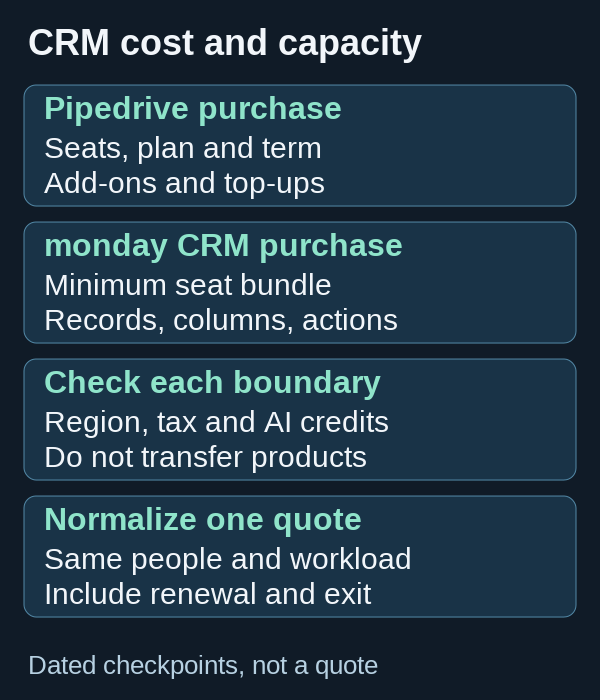
Pipedrive's 3 September billing guide says eligible top-ups follow the subscription cycle. It lists API, lead/deal, report and automation extensions from Growth, with other bundles from Premium; quantity maximums and account purchase prices matter. Use the total-cost calculator with your own volumes rather than treating the entry tier as the full system.
Lead, deal and contact limits change the buying decision
The 12 October Pipedrive usage guide gives these new-plan checkpoints in Lite/Growth/Premium/Ultimate order: leads plus deals per seat 2,500/5,000/15,000/20,000, capped at 300,000 company-wide; custom fields 30/100/300/500; reports per user 15/50/250/500; active automations none/50/150/250; sequences none/5/25/50. API tokens are 30,000/60,000/150,000/210,000 times seats, capped at 100 million. Contacts have no Pipedrive usage cap, although a connected contact provider can impose one.
That lead/deal count includes active leads and non-archived open, won and lost deals. At capacity, manual creation is blocked; excess automated/API/import deals can reach a waitlist or skip file. Waitlisted deals are deleted after one year; automatically created leads have no waitlist and are discarded. These are documented mechanisms, not losses observed in a ServiceTech account. Assign an owner to limits, archive policy and reconciliation before enabling intake.
On the dated monday CRM surface, Basic/Standard/Pro show 1,000/10,000/100,000 active contacts and deals, 5/15/75 columns per board and 20/50/250 quotes and invoices monthly. Standard shows 250 custom automations monthly; Pro 25,000. Ultimate is custom-priced with enterprise-scale allowances. Standard, Pro and Ultimate show included AI credits, but the exact amount, feature consumption and additional purchase rules need confirmation. These CRM checkpoints are not Work Management entitlements or a promise of future contract terms.
Automation and API limits need a recovery owner
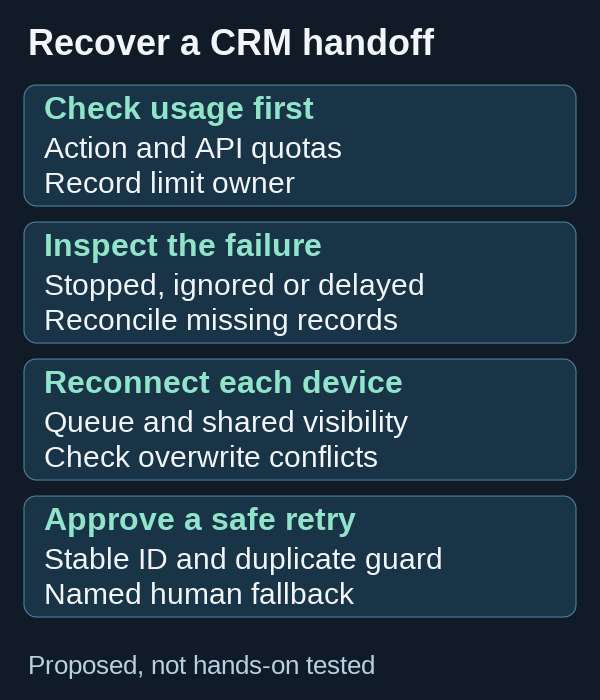
Pipedrive automation limits distinguish plan structure, duration and frequency. Growth+ supports up to ten actions; waits can stop after seven days and cumulative delays are limited to 90 days. Published frequency ceilings are 10,000 company executions or 5,000 per automation within ten minutes, plus 40 automated email actions per minute company-wide. Bulk-edit overages can appear as Stopped; loops and fan-out can be ignored without a history entry. Provider email limits can fail an action too. A quiet history is not proof that every intended handoff ran.
monday's monthly action quota is separate from per-minute automation and integration rate limits. Multi-action recipes and recipients can consume multiple actions. Quota exhaustion and rate pressure have different notification, deactivation, delay or cancellation behavior. Inspect the exact recipe, its Run history and the connected provider's limit; do not assume a failed action will eventually complete.
The monday API guide separately lists daily caps, complexity, minute, concurrency and IP controls. Basic/Standard currently show 1,000 daily calls, Pro 10,000 and Enterprise 25,000; confirm how the CRM Ultimate contract maps to that terminology. Failed requests count, and retry timing must respect the returned response. An action allowance is not an API allowance.
Proposed control: give each fictional enquiry a stable external ID, name the system of record and the person who resolves failures. Inspect expected versus accepted CRM records, not just green runs. Retry only after checking whether the first action created a record. Hold customer contact behind approval and provide a manual queue. No production connection, bulk stress test or reliability result was performed here.
Test each device's queue, reconnect and overwrite behavior
| Boundary | Pipedrive documentation | monday documentation |
|---|---|---|
| Web versus mobile | Browser use requires internet. iOS/Android apps accept offline changes and update the database after reconnection. | Offline mode uses data fetched while online. No new updates arrive offline and there is no offline indicator. |
| Named action coverage | Validate the exact device, OS, app version, edit type and file upload. Sync documentation alone does not prove conflict resolution or shared visibility. | The current help lists column changes on iOS, without Emails & Activities offline; Android lists additional item/group/column actions and timeline create/view/delete. Do not assume identical action coverage. |
| Conflict and recovery | Use a controlled online/offline edit conflict and confirm final ownership, ordering and duplicates with another authorized role. | Queued changes upload one by one. The guide warns that a reconnecting change can overwrite another person's change on the same item. Check the surviving value and correction history. |
These are vendor-documented boundaries, not completed field tests or a reliability winner. Use the offline evaluation guide to define the exact action and failure response. Neither mobile CRM replaces a validated dispatch, job or finance handoff.
Export the components before discussing cancellation
| Exit component | Pipedrive | monday CRM |
|---|---|---|
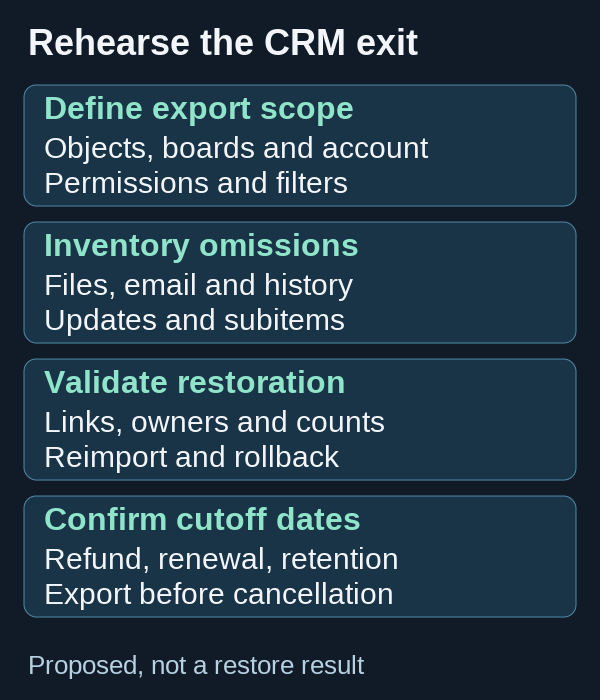
| Records, links and permissions | Exports are permission and visibility bounded. Global-admin item-type exports differ from filtered lists, per-item views and reports. Reconcile people, organizations, leads, deals, activities, notes, products, projects and file records separately. | Board Excel export permits up to 100,000 items, respects active filters and excludes board views. Item updates and subitems can be selected, but subitem updates are omitted. Enterprise permissions can restrict non-admin export. |
| Files, email and history | File listings and actual downloadable attachments are different checks. Google Drive files are excluded from global export. Inventory email bodies, attachments, activities, notes, history, automations, webhooks and permissions rather than assuming one spreadsheet carries them all. File handling is a separate surface. | Admin account export includes boards and uploaded files but excludes archived boards, workdocs, dashboards and Emails & Activities. Export workdocs separately. Download links expire after 24 hours; verify files and relationships before relying on the archive. |
| Import and restore | Spreadsheet import needs correct permissions, object mapping, mandatory fields and identifiers. Inspect skipped entries and duplicate decisions. | Excel import maps supported columns into boards; it is not a complete account restore. Test record links, statuses, ownership, dates, files and unsupported components. |
Pipedrive cancellation help says access continues until the billing cycle ends, then stops. Its deletion guidance describes paid data typically being deleted within 180 days; this is not a retrieval promise. Reactivation requires billing access and data still existing. Export and rehearse first.
For monday, closing an account or a product and refund eligibility are separate decisions. The refund help distinguishes a first-purchase 30-day request window, existing-customer renewal notice and immediate access loss when cancelling with a refund. The agreement controls. Retention guidance says retained closed-account data has no committed duration if the admin chooses to keep it; deletion requests have their own window. Retention is not read-only access or validated restoration. Obtain written account-specific dates before cancellation.
Run one same-scenario buyer protocol
Proposed, not performed: use authorized roles and synthetic records only. No direct account test, timing result, saving, booking outcome or numerical winner is claimed.
- Write one enquiry, estimate, follow-up, won/lost and field-system handoff. Identify each record owner and the final accepted state. Price the exact 1/3/10-user configuration with all required gates.
- Import a matched and near-matched contact/deal sample. Record mapping, duplicate choice, skipped rows, archive state and rollback path. Do not send real customer data.
- Run a normal automation, one controlled exception and one safe failed action. Inspect history, notifications, stopped or missing executions and limit counters. Compare expected records with the downstream system before an idempotent retry.
- On the intended iOS and Android versions, make one offline edit while another authorized role changes the same record online. Reconnect, inspect final values, shared visibility and duplicates, then rehearse correction and human fallback.
- Export each object or board with admin and restricted roles, with and without filters. Inventory files, email, updates, subitems, history, workflows and permissions. Reimport into an approved synthetic destination and document restore gaps before renewal or cancellation.
Keep the current CRM if it passes the required workflow and cost limits. Switch only when the named bottleneck improves in your own matched scenario and the handoff and exit inventory pass. Do not buy yet if the minimum bundle, permission owner, record-loss boundary, overwrite correction or restore gaps remain unresolved.
Use the pilot guide, pilot scorecard and migration checklist. The Pipedrive review and monday.com review cover product-level questions; the CRM shortlist and Pipedrive versus HubSpot have distinct owners. Read our methodology and evidence ledger for the documentation-versus-direct-test boundary.
A Quick Demo of Pipedrive CRM 🏁 🏎️
YouTube connects only after you choose to load this video.
Evaluation options: Each link is identified as an official or partner path. A marked partner link may earn ServiceTech Signal a commission. Commercial relationships cannot change the evidence, caveats, or decision criteria.
The decision in one table
| Decision factor | Pipedrive | monday CRM | How to decide |
|---|---|---|---|
| Primary operating model | Sales CRM built around leads, deals, activities, and visual pipelines | Configurable CRM built on boards, columns, views, dashboards, and connected workflows | Choose focus or flexibility based on the team that will maintain the system |
| Current purchase-screen boundary | Lite, Growth, Premium or Ultimate; local currency, paid seats, term, add-ons and top-ups control the total | monday CRM Basic, Standard, Pro or Ultimate; minimum three-user purchase, region, term and CRM-specific allowances control the total | The 3 November source check localized to EUR. Do not reuse the earlier USD entry signals as a current universal quote. |
| Email and follow-up | Full email sync, tracking, automations, and sequences begin on Growth | Centralized communication, sequences, mass email, and plan-based automation limits | Reproduce one real estimate follow-up sequence before selecting a plan |
| Customization burden | Custom pipelines and fields inside a more opinionated sales structure | Broader no-code configuration with more responsibility for statuses, permissions, and data hygiene | Buy the system the actual administrator can govern |
| Mobile and offline | iOS and Android apps support offline changes and later synchronization | Mobile access includes offline behavior, with feature and conflict boundaries that require device testing | Test the same edit, conflict, and reconnect scenario on every field device |
| Field service boundary | Does not replace dispatch, route operations, job costing, invoicing, or payment reconciliation | Does not become a complete FSM merely because a board can model jobs | Declare the CRM to job-system handoff before connecting production data |
Commercial disclosure: A marked partner link may earn ServiceTech Signal a commission. Official vendor links without an affiliate relationship are identified separately. Commercial relationships cannot change our evidence, caveats, or decision criteria.
The lighter path fits the actual operation.
- The main revenue leak is unclear ownership between enquiry, estimate, follow-up, won, and lost stages.
- Sales staff will benefit from an activity-focused interface and a more opinionated deal model.
- The month 12 seat count and required add-ons fit the expected budget.
- A separate field or job system already owns dispatch, work completion, invoices, and payments.
The additional capability has a current owner and return.
- The team needs to customize CRM records, views, dashboards, and post-sale coordination without code.
- One administrator can own the status dictionary, required fields, permissions, and automation usage.
- The exact monday CRM plan and regional purchase total pass the cost model.
- The organization accepts that field operations still need a declared system of record.
Evidence still unresolved
- Same-account completion time for enquiry, estimate, follow-up, won, and lost scenarios
- Duplicate handling after imports, forms, and integration retries
- Offline edit conflict behavior on the actual iOS and Android devices
- Complete export coverage for records, activities, files, automations, and configuration
- First-year and third-year cost for the same team, volume, add-ons, and connected systems
Continue the research
- Browse every comparison path
- Read the Pipedrive review
- Read the monday.com review
- Best CRM for local service businesses
- Field service software buyer's map
Primary sources
- Pipedrive pricing, plan family, and trial, with localized currency ↗
- Pipedrive billing, included versus paid add-ons, seats, and top-ups, updated 3 Sep 2026 ↗
- Pipedrive CRM functions and integrations ↗
- Pipedrive spreadsheet import, history, skip files, and 48-hour reversal ↗
- Pipedrive import duplicate matching rules ↗
- Pipedrive deals and linked activity record ↗
- Pipedrive activities and record linking ↗
- Pipedrive automation limits and execution history ↗
- Pipedrive automation overview, health monitoring, and deactivation controls ↗
- Pipedrive automation history visibility, discarded runs, and retention, updated 3 Sep 2026 ↗
- Pipedrive mobile offline behavior ↗
- Pipedrive data export coverage ↗
- monday.com pricing, product, team-size, and trial controls ↗
- monday work management operating model ↗
- monday WorkForms settings, ownership, submissions, and permissions ↗
- monday account, workspace, board, column, dashboard, and document permissions ↗
- monday.com automation and integration plan limits ↗
- monday workload resource and capacity controls ↗
- monday.com mobile offline behavior ↗
- monday CRM lead management and duplicate indications ↗
- monday CRM duplicate-management controls ↗
- monday.com competing automation failure guidance ↗
- monday full-account export coverage and omissions ↗
- monday CRM features ↗
Editorial record
Who reviewed this page and what happens next.
Commercial relationships cannot change the evidence state, fit statement, caveats, or conclusion.
- Research and review
- Andre Ribeiro
- Published
- Last material review
- Next scheduled review
- Evidence scope
- Worldwide readership with market specific product evidence
- Evidence state
- This comparison uses current official product, pricing, support, and affiliate records. Both affiliate relationships are active. Neither product has completed the same ServiceTech Signal direct account scenario, so the decision remains conditional and no numerical winner is assigned.
Testing methodologyEditorial standardsCorrections and update log
A marked partner link may earn ServiceTech Signal a commission. Partner and official paths stay visibly separated so the commercial relationship cannot replace the test result.