Evidence note: Use this review to build a shortlist. We publish a numerical score or final recommendation only after the product completes the same hands-on scenarios and exception tests used for its peers.
The short verdict
Pipedrive belongs on a shortlist when a service business needs disciplined lead, estimate and follow-up ownership before won work enters a field or finance system. Its pipelines, activities and email tools remain useful CRM capabilities. It is not an FSM and is not automatically low-cost once purchased seats, add-ons, top-ups, usage ceilings, handoff failures and component exports are normalized. Dispatch, technician status, routes, job costing, invoicing and payment reconciliation still need their own system of record.
Ready to test this fit? Reproduce your real intake, follow-up, handoff, and export workflow before choosing a paid plan.
Test Pipedrive for your workflowWho it fits
Service businesses with a repeatable sales or estimate pipeline, multiple follow-up owners, and an existing field, finance, or job-management system that can receive won work.
Watch closely: The subscription charges for purchased seats even if they are unassigned. LeadBooster, Projects, and Smart Docs are paid extras on Lite and Growth but included on Premium and Ultimate; Campaigns and Web Visitors remain paid add-ons on all four. Plan-gated top-ups and integrations can add cost. A better sales pipeline does not solve operational handoff unless ownership and duplicate control are designed first.
What changed on 27 October 2026
We added seat-scaled capacity, top-up gates, limit failure paths and a buyer-run handoff/recovery protocol, plus three original diagrams and an older official demo. Useful earlier pricing caveats, import rules, history guidance, mobile/export boundaries and the six proposed tests remain below. Evidence stays Desk / Affiliate active. Current vendor documentation is not a new account test or a verified field handoff.
Historical 25 September pricing observation: Pipedrive lists Lite, Growth, Premium, and Ultimate, with a 14-day trial. Its pricing page localized to euros despite the US region parameter during our 25 Sep 2026 check, so the previously displayed USD figures are withheld until an exact US checkout can be verified. Price the selected billing cycle, currency, purchased seats including unassigned seats, eligible top-ups, and add-ons in your own account. Annual billing is paid upfront; monthly billing follows a monthly cycle.
Plan, capacity and total cost need one scope
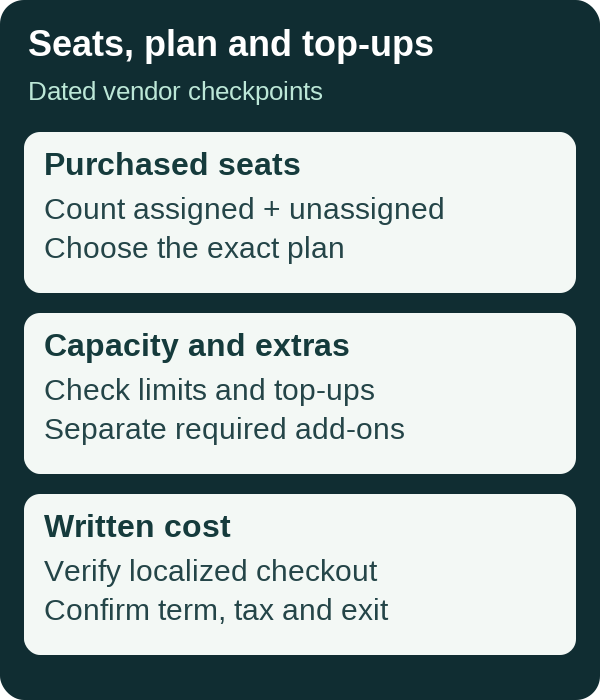
Rechecked 27 October: the official pricing surface separates Lite, Growth, Premium and Ultimate. It presents Growth email sync and automations, and describes Nova meeting intelligence. Neither a feature label nor an older demo establishes your AI allowance, purchased entitlement or output quality. Keep Nova scope, usage and permissions in the written quote if required. Public currency localization is a purchase-screen gate; this review does not publish a new USD subscription amount.
| Checkpoint | Lite | Growth | Premium | Ultimate |
|---|---|---|---|---|
| Leads + deals per company | 2,500 x seats | 5,000 x seats | 15,000 x seats | 20,000 x seats |
| Active automations | N/A | 50 | 150 | 250 |
| If/else per automation | N/A | 3 | 10 | 20 |
| Sequences per company | N/A | 5 | 25 | 50 |
| Reports per user | 15 | 50 | 250 | 500 |
| Synced email accounts per user | N/A | 1 | 3 | 5 |
| API tokens per company | 30,000 x seats | 60,000 x seats | 150,000 x seats | 210,000 x seats |
The usage guide, updated 12 October, caps leads + deals at 300,000 and API tokens at 100 million. Admin alerts are documented at 80% and 100%. At the lead/deal ceiling, manual creation is blocked. Excess automated/API/LeadBooster/import deals can enter a waitlist or skip file; waitlisted deals are deleted after one year. Automatically created leads have no waitlist and are discarded. Assign an owner to reconcile source counts with accepted records.
The billing guide, updated 3 September, charges purchased seats even when unassigned; annual billing is prepaid. Only account-settings users manage billing. LeadBooster, Projects and Smart Docs are add-ons on Lite/Growth and included on Premium/Ultimate; Campaigns and Web Visitors remain add-ons on all four. Top-ups follow the billing cycle. From Growth: API +250,000, leads/deals +25,000, reports +50 and automations +50, each maximum 10 top-ups. From Premium: enrichment +100 (maximum 10,000), Prospector +10 (maximum 1,000), and a bundled teams/visibility/permission increase of +10 (maximum 10). Confirm eligibility, unit price and overall caps on the account purchase screen.
| Line | Obtain in writing | Stop signal |
|---|---|---|
| Subscription | Exact plan, region/currency/tax, monthly or annual prepaid term, purchased versus assigned seats and renewal/downgrade/refund terms. | Only active-user count or a localized headline is priced. |
| Capacity | Email sync, automation, sequence, if/else, lead/deal, report and API allowances; top-up quantities, maximums and prices. | No owner for the ceiling or discarded work. |
| Connected work | Add-ons, Nova/meeting intelligence if required, connected apps, telephony, implementation, migration and training. | A catalog listing substitutes for a working handoff. |
| Recovery and exit | Limit alerts, waitlist/skip handling, customer-facing failure owner, component exports, retention and post-cancellation access. | No reconciliation or restore-gap inventory. |
Use confirmed inputs in the total-cost calculator. Compare HubSpot or monday on your required configuration; the CRM guide owns the broader shortlist.
Failure visibility is part of the handoff
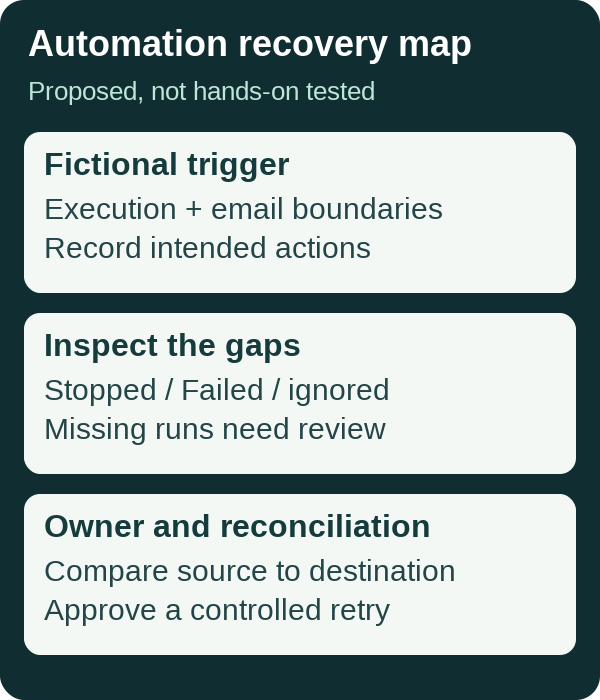
The automation limits guide, updated 12 October, places automations on Growth+. It documents ten actions, ten wait steps (seven days each), ten delay steps and 90 days total delay. Frequency ceilings are 10,000 company executions or 5,000 per automation in ten minutes. Bulk-edit overages can show as Stopped; loops and fan-out can be ignored without history entries. Company-wide automated email capacity is 40 actions/minute; rate or provider limits can show Failed. A warning email goes to the account owner before frequency enforcement. These mechanisms are not a reliability guarantee.
Use the history guide beside the newer limits guide. The earlier history retention, creator-visibility and discarded-condition caveats remain below. A clean execution list cannot prove that every intended event was accepted. Reconcile fictional source events, accepted records, expected actions and actual destinations before retrying. Give the retry a stable external identifier and a named owner so one won deal does not become two jobs.
Detailed repair stays with import and automation troubleshooting and email-sync troubleshooting. Use estimate follow-up for implementation detail rather than treating this review as a delivery record.
Mobile, won work and export each need their own check
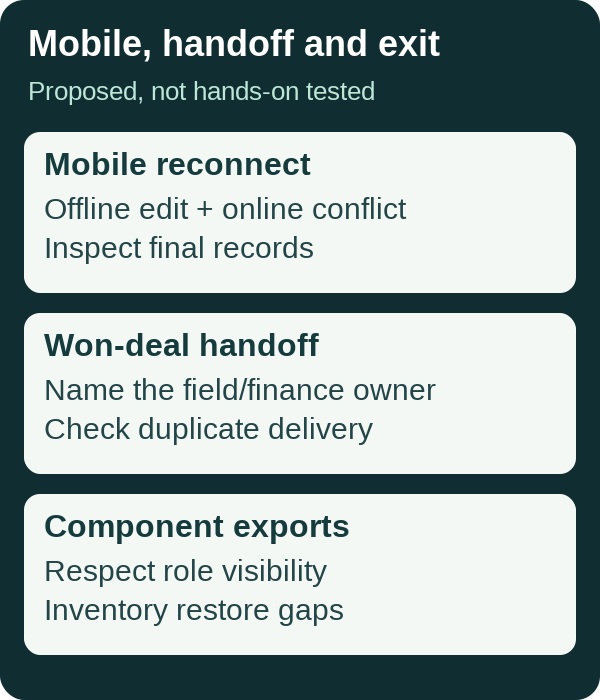
The mobile offline guide, updated 3 September, requires Android 11+ or iOS 18+. Mobile changes can synchronize after reconnection; desktop web needs internet. This documents capability, not conflict ordering, duplicate safety or field recovery. Freeze device versions and roles, introduce one controlled online/offline conflict, then inspect the final values, timestamps and linked activities.
The export guide, updated 3 September, requires export permission and limits output to visible data. Global admins can export by item type; list-view combinations and individual-record exports differ. Reconcile leads, deals, organizations, people, products, activities, projects, notes and files, including IDs and relationships. Separately inventory field definitions, users/permissions, automations, webhooks, integrations and connected storage. A CSV/XLSX collection is not a complete restorable archive. Obtain retention, post-cancellation access and any assistance/fees in writing before cancellation.
Proposed buyer-run decision sequence
- Normalize 1, 3 and 10 seats with required add-ons and top-ups. Name billing, capacity, handoff and exit owners.
- Map a fictional enquiry, estimate, follow-up and won-job handoff using deals and linked activities. Define which field/finance system accepts the work and how acceptance is acknowledged.
- Use the spreadsheet import and duplicate-matching documentation to test matched and near-matched contacts and repeated deals. Reconcile added, merged, skipped and duplicate records; retain a rollback plan.
- Use an authorized bounded bulk edit and fan-out scenario. Inspect Stopped, Failed and missing executions without deliberately flooding a production account. Compare intended events with records, history, waitlist and skip files; test one safe retry.
- Test a mobile offline change and a controlled online conflict, reconnect, then repeat a synthetic handoff delivery. Check ordering, ownership and duplicate prevention in both systems.
- Export each item type as admin and as a restricted user. Compare visibility, counts, IDs, files, notes and activities; inventory configuration and restore gaps before deciding.
These are proposed checks, not completed ServiceTech account tests. The Pipedrive workflow guide owns the detailed protocol. Use the pilot guide, pilot scorecard, migration checklist and evidence ledger to retain your decision record.
Official demo and method limits
A Quick Demo of Pipedrive CRM 🏁 🏎️
YouTube connects only after you choose to load this video.
Research checkpoint: 27 October 2026. Official documentation establishes published mechanisms, not successful use in your paid account. Earlier useful research below is retained with its source dates. No new authenticated test, score, outcome or universal-fit recommendation was produced. Require a controlled account demonstration and written commercial scope before committing.
Pricing and plan gates
27 October 2026 checkpoint: Lite, Growth, Premium and Ultimate remain the current plan family. Retain the no-USD buying boundary until your exact US purchase screen is captured: the earlier check localized to euros despite the US parameter. Normalize region, currency, tax, monthly versus annual prepaid term, all purchased seats including unassigned seats, add-ons and eligible top-ups in a dated written quote. A localized public display is not a universal renewal price.
Source: Pipedrive pricing and its billing guide, updated 3 Sep 2026. The public page may localize currency; confirm the exact region and checkout before relying on a figure.
Evaluation access: Pipedrive currently offers a 14-day trial with no credit card. Confirm the enabled plan, add-ons, import limits, and post-trial behavior before testing.
- Price all purchased seats, including unassigned seats, at month 12 rather than counting only active users.
- Separate LeadBooster, Projects, and Smart Docs on Lite or Growth from the same included products on Premium or Ultimate. Campaigns and Web Visitors remain paid add-ons on all four plans; check telephony and integration costs separately.
- Check whether each needed top-up is available on the intended plan and whether it follows your selected billing cycle.
- Confirm which email, automation, permission, scoring, document, security, and sandbox controls require Growth, Premium, or Ultimate.
- Document which system owns the customer, estimate, job, invoice, payment, and deletion record before connecting anything.
Affiliate disclosure: ServiceTech Signal participates in the Pipedrive affiliate program and may earn a commission if you sign up through this link. The relationship does not change our evidence, caveats, or editorial conclusion.
Strengths and constraints
The strongest documented signals
- Visual pipelines, activities, contacts, leads, and reporting keep sales ownership visible
- Growth adds full email sync, tracking, automations, sequences, forecasting, and a meeting scheduler
- More than 500 marketplace integrations can connect the CRM with finance, communications, forms, and operations tools
- The iOS and Android apps support offline changes that synchronize after connectivity returns
- Admins can export major record types, while list views and APIs support more selective portability
The constraints to price and test
- Pipedrive does not replace dispatch, route planning, technician workflows, job costing, invoicing, or payment reconciliation
- Purchased seats are billed even when unassigned. LeadBooster, Projects, and Smart Docs are paid add-ons on Lite and Growth but included on Premium and Ultimate; Campaigns and Web Visitors are paid add-ons on every plan. Top-ups have plan gates and follow the billing cycle
- Offline support applies to the mobile apps rather than the desktop web application
- Import matching can merge people or organizations when documented identifiers match, while deals have no import duplicate identifier and need a separate idempotency control
- Automation health can show failures, inactivity, and missing executions, but only the creator can see that automation's executions. Runs whose conditions are not met are discarded from the execution list. History is retained for 15 days by default, extended by the total configured delay period; repeated unresolved failures can trigger warnings and eventual deactivation. The history guide's older Advanced label is not mapped to a current plan
- Activities, notes, files, field definitions, users, permissions, and some connected storage content require separate export treatment
- A won deal still needs a controlled handoff into the job and finance systems to avoid duplicates and lost ownership
Automation history limits: Pipedrive's history guide, updated 3 Sep 2026. It still uses the older Advanced plan label; that wording does not establish a mapping to today's plan names.
What we still need to test
- Import a reversible fictional lead set containing matched and near-matched people, organizations, and repeated deals. Record what was added, updated, merged, skipped, or duplicated, then revert within the documented window.
- Move one synthetic estimate through lead, deal, scheduled follow-up, won, and lost branches. Verify owners, linked contacts, activities, timestamps, filters, and the won-job handoff contract.
- Send one won synthetic deal into a sandbox job system with a stable external ID, then repeat the delivery after an edit and a simulated retry to test duplicate prevention and recovery.
- Run a bounded automation for one synthetic follow-up as its creator, inspect successful history within the retention window, then create a reversible failure. Record the discarded condition branch separately and verify recovery without duplicate email or job creation. Do not infer that another user's history view is complete.
- Complete an offline mobile edit on the intended device, create an online conflicting change in a controlled account, reconnect, and record which value persists. Do not generalize the result across platforms.
- Export leads, deals, organizations, people, products, activities, projects, notes, files, field definitions, and user-access data separately. Inventory connected storage and configuration that is not included before any production commitment.
Evidence sources
- Pipedrive pricing, plan family, and trial, with localized currency ↗
- Pipedrive billing, included versus paid add-ons, seats, and top-ups, updated 3 Sep 2026 ↗
- Pipedrive CRM functions and integrations ↗
- Pipedrive spreadsheet import, history, skip files, and 48-hour reversal ↗
- Pipedrive import duplicate matching rules ↗
- Pipedrive deals and linked activity record ↗
- Pipedrive activities and record linking ↗
- Pipedrive automation limits and execution history ↗
- Pipedrive automation overview, health monitoring, and deactivation controls ↗
- Pipedrive automation history visibility, discarded runs, and retention, updated 3 Sep 2026 ↗
- Pipedrive mobile offline behavior ↗
- Pipedrive data export coverage ↗
- Pipedrive usage: checked 27 October 2026 ↗
- Pipedrive automation: checked 27 October 2026 ↗
Editorial record
Who reviewed this page and what happens next.
Commercial relationships cannot change the evidence state, fit statement, caveats, or conclusion.
- Research and review
- Andre Ribeiro
- Published
- Last material review
- Next scheduled review
- Evidence scope
- Worldwide CRM evaluation; regional price, tax, telephony, and integration checks required
- Evidence state
- Desk / Affiliate active
Testing methodologyEditorial standardsCorrections and update log
ServiceTech Signal participates in the Pipedrive affiliate program and may earn a commission if you sign up through this link. The relationship does not change our evidence, caveats, or editorial conclusion.
Start a controlled Pipedrive evaluation